
There is a subtle art to not interrupting the human. For years, our smartphones have been masters of disruption—buzzing, dinging, and splashing a waterfall of noisy banners across our screens. But a quiet revolution is unfolding inside Android. It’s called Live Alerts, and it feels less like a notification and more like a gentle, intuitive breath. This isn’t just a clone of Apple’s Dynamic Island; it’s a fundamentally different philosophy, one that respects the flow of your attention while keeping you powerfully informed.
Imagine your timer, your ride-share ETA, and your live sports score all living in a small, elegant capsule at the top of your screen, updating in real-time without ever demanding you stop what you’re doing. That is the promise of Live Alerts. For the first time, Google is weaving information into the fabric of your interface, not plastering it on top. This deep dive explores the technology, the user experience, and how you can master this new, more human-centric way of staying connected.
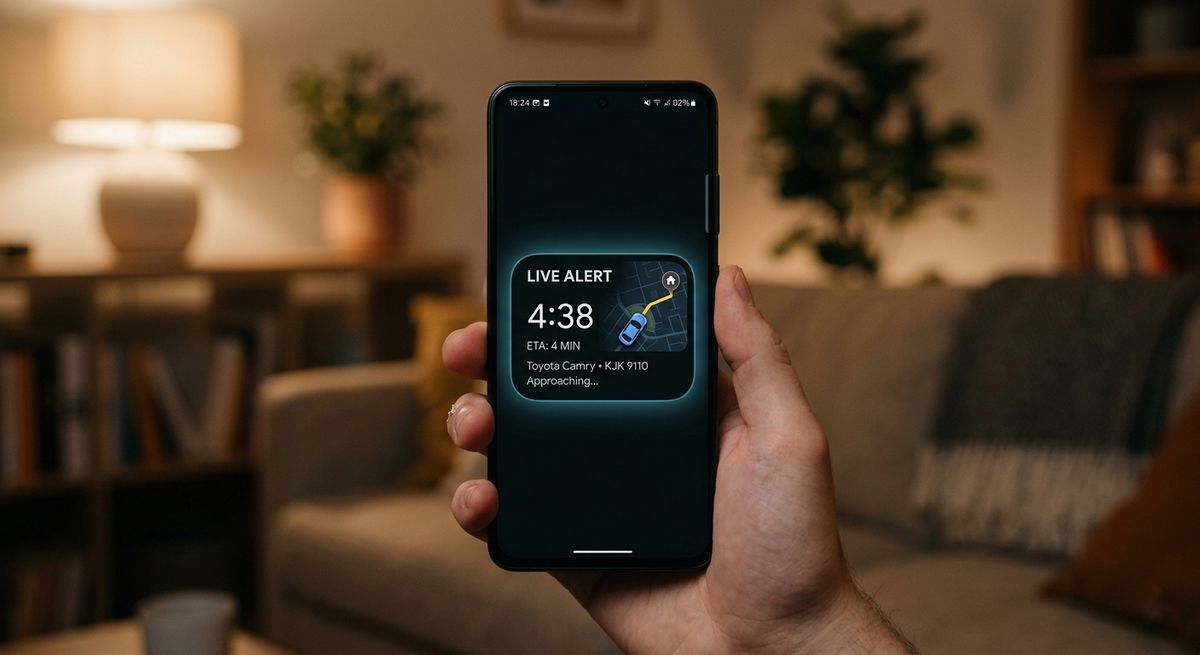
Figure 1: Android’s new Live Alert — a living, breathing notification that lives in the status bar.
📖 Table of Contents
- 1. What Exactly Are Live Alerts? A New Language of Notifications
- 2. Under the Hood: The Technical Elegance of a Living API
- 3. Live Alerts vs. Dynamic Island: Two Philosophies, One Goal
- 4. Your Guide to Enabling and Customizing Live Alerts (Tutorial)
- 5. The Apps That Shine: From Uber to Spotify and Beyond
- 6. The Future is a Glance: Where Live Alerts Go From Here
- 7. Conclusion: A Quieter, More Attentive Smartphone
1. What Exactly Are Live Alerts? A New Language of Notifications
At its core, a Live Alert is a persistent, dynamic notification that lives in a dedicated space—typically a small, pill-shaped capsule near the front camera or in the status bar. Unlike a standard notification that appears, lingers, and then vanishes into a silent log, a Live Alert evolves in real-time. It shows you a timer counting down the seconds, a sports score flipping from 2-1 to 2-2, or a delivery driver’s icon moving street by street on a miniature map.
The psychological shift here is profound. Your brain no longer has to context-switch. You don’t pause your video to check if your food has arrived. You simply glance up. The information comes to you, politely, at the periphery of your vision. It’s the difference between a colleague tapping you on the shoulder every five minutes versus a quiet dashboard that glows a little brighter when something changes. This is human-centered design, not feature-driven chaos.
2. Under the Hood: The Technical Elegance of a Living API
How does this magic happen without draining your battery or slowing your phone? Google has introduced a new, lightweight LiveAlert API as part of Android 15 and the latest Material You design language. This isn’t a background service constantly polling for updates. Instead, it’s an intelligent pipeline.
When an app like Uber or Spotify has a “live” activity (a trip in progress, a song playing), it sends a structured data object to a dedicated system-level process. This process renders that data directly onto the status bar canvas using minimal resources. Think of it as a tiny, purpose-built browser window just for real-time snippets. Because the system manages the rendering and updates, your phone isn’t waking up a full app in the background. The result is efficiency and speed. Your battery breathes easier, and your processor stays cool, all while a little timer ticks away happily on your screen.
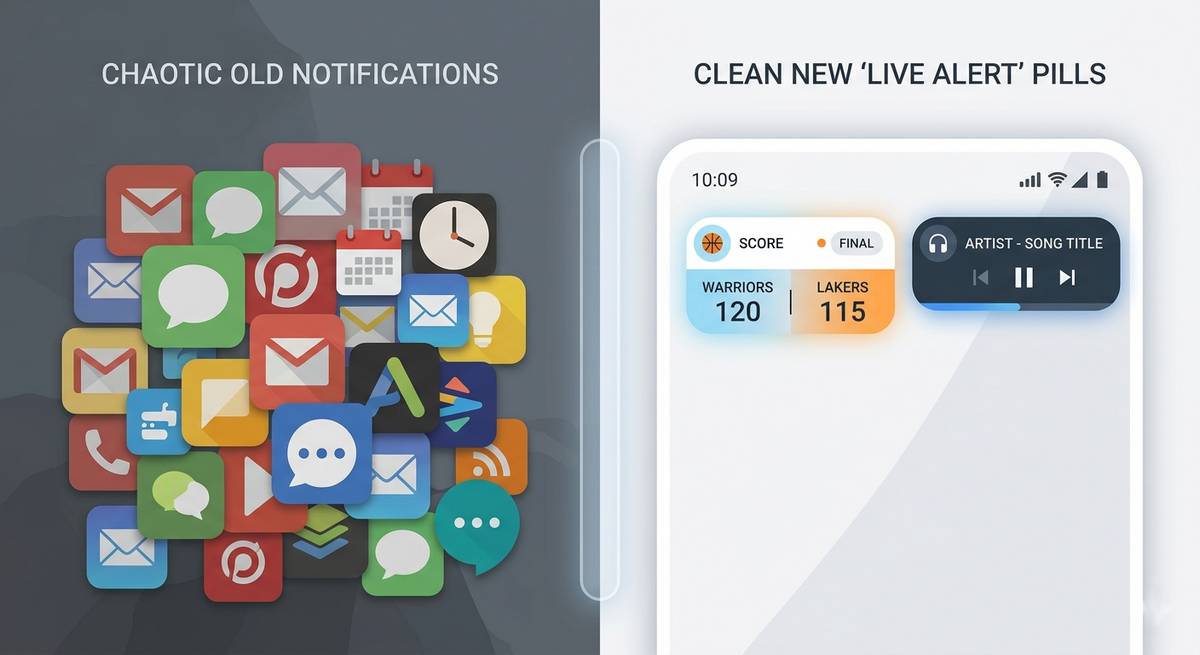
Figure 2: From chaotic banners to an organized, living status bar — the evolution of Android notifications.
3. Live Alerts vs. Dynamic Island: Two Philosophies, One Goal
It’s impossible to discuss Live Alerts without mentioning Apple’s Dynamic Island. On the surface, they do similar things. But the philosophy is worlds apart. Apple’s solution is a hardware hack made software — it cleverly masks the physical cutout by expanding and morphing into different shapes. It’s playful, prominent, and often demands a tap or a long-press to be useful.
Android’s Live Alerts are the opposite. They are minimalist and ambient. There’s no hardware flaw to hide. Instead, Google is leveraging the existing status bar real estate to create a set of “glanceable” tools. The Dynamic Island wants to be a character in your phone’s story. Live Alerts want to be the quiet stagehand, making sure the show goes on without a hitch. Neither is better; they just represent two different cultural approaches to technology: one expressive and interactive, the other subtle and efficient.
Key Differences at a Glance:
- Origin: Dynamic Island is hardware-driven; Live Alerts are purely a software/API solution.
- Interaction: Apple encourages tapping and holding; Google prioritizes passive glancing.
- Philosophy: Dynamic Island is a “feature.” Live Alerts are a “state of being.”
4. Your Guide to Enabling and Customizing Live Alerts (Tutorial)
Ready to quiet the noise? Here is how to take control of Live Alerts on your Android device (Android 15 or later, rolling out to Pixel and select devices first).
Step 1: Ensure Your System is Ready
Go to Settings > System > Software Update. Make sure you are on the latest version of Android. Live Alerts are a core feature of Android 15.
Step 2: Find the Live Alerts Hub
Navigate to Settings > Notifications > Live Alerts. This is your command center. Here, you will see a master toggle to turn the entire feature on or off.
Step 3: Per-App Permission is Key
Live Alerts respect your hierarchy. Below the master toggle, you’ll see a list of installed apps that support the API. By default, none are enabled. You must consciously grant permission. Tap the switch next to Uber, Spotify, Google Maps, Sports apps, Food delivery apps — any app that provides ongoing, time-sensitive information.
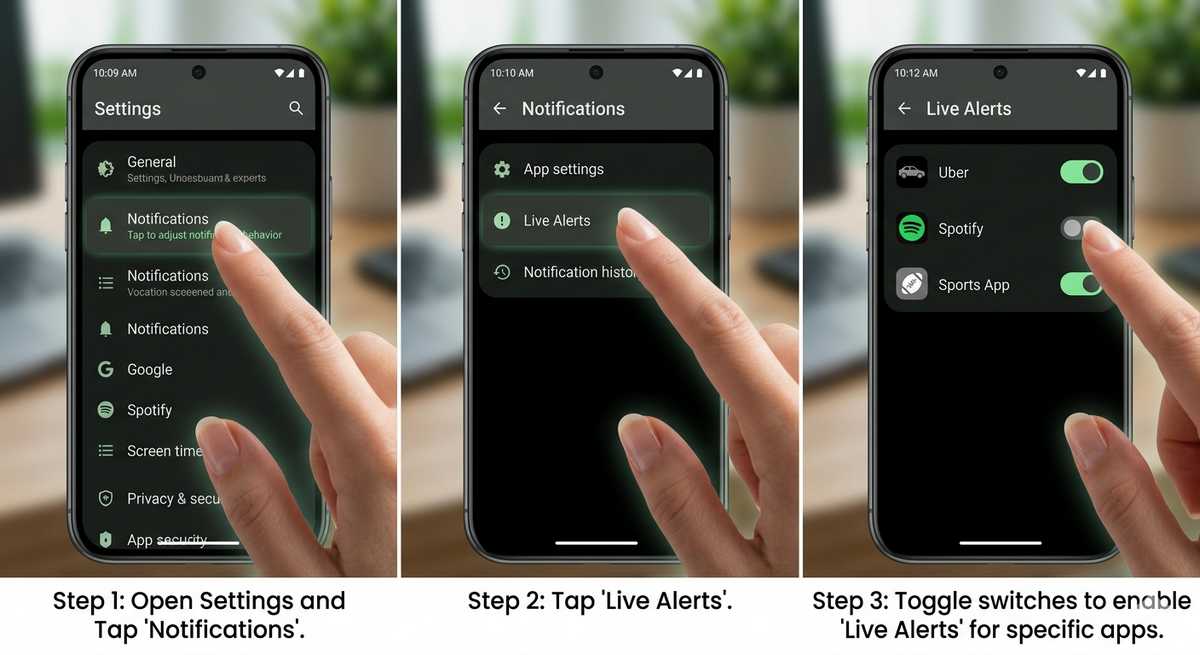
Figure 3: The Live Alerts settings panel — your control center for a quieter, smarter notification experience.
5. The Apps That Shine: From Uber to Spotify and Beyond
As of early 2026, the ecosystem is growing fast. Here are the apps that feel truly transformed by Live Alerts:
| App | Live Alert Magic |
|---|---|
| Uber / Lyft | See your driver’s name, car color, and ETA in a tiny, updating pill. No more unlocking your phone to check the map. |
| Spotify / YouTube Music | A persistent media controller with album art and a play/pause button. It lives at the top, out of the way until you need it. |
| Google Sports | Follow your team’s live score. It flips numbers in real-time. It’s a beautiful, tense little thing during a close game. |
| DoorDash / UberEats | “Order prepared” → “Driver picked up” → “2 minutes away.” All without a single banner. |
6. The Future is a Glance: Where Live Alerts Go From Here
This is just the beginning. The API is open, and developers are inventive. In the next 12 months, expect to see Live Alerts for:
- Fitness: Your running pace, heart rate zone, or workout segment timer from Strava or Peloton.
- Smart Home: “Garage door open” or “Washer finished” as a discreet, dismissible alert.
- Flight Status: Gate changes and boarding times for frequent flyers.
- Navigation: “In 200 meters, turn left” rendered as a small arrow and distance, so you can keep your map app closed.
The ultimate goal is a phone that respects your cognitive load. Live Alerts are a foundational step toward an operating system that feels less like a demanding assistant and more like an extension of your own awareness.
7. Conclusion: A Quieter, More Attentive Smartphone
We spend so much of our lives fighting for focus against the very devices meant to help us. Android’s Live Alerts are a quiet rebellion against that chaos. They are a technical and philosophical admission that the best notification is sometimes the one you barely notice—until you absolutely need it.
By moving from disruptive banners to an ambient, living status bar, Google has given us a small but powerful gift: a few more moments of uninterrupted presence. The timer ticks, the car approaches, the score changes, and your movie never pauses. That, in the modern world, feels nothing short of revolutionary. Go ahead, enable them. Your future, calmer self will thank you.
📱 Master the art of the modern Android
Continue your journey: The Hidden Power of Material You | 5 Privacy Settings You Must Change | Battery Optimization for Real People